Keyboard shortcuts
Chats and library
- New chat: ⌘N
- Open a document: ⌘O
- Library: ⇧⌘L
- Export chat: ⇧⌘E
- Chat settings: ⌘;
- Insert prompt: ⇧⌘P
Answers
- Stop the answer: ⌘.
- Regenerate: ⌘R
- Edit your last question: ⌘E
- Copy the last answer: ⇧⌘C
- Next and previous citation: ⌥⌘↓ and ⌥⌘↑
- Reset context: ⇧⌘K
Reading
- Next and previous page: ⌃⌘↓ and ⌃⌘↑
- Go to page: ⌥⌘G
- Back and forward: ⌘[ and ⌘]
- Find: ⌘F, then ⌘G and ⇧⌘G
- Zoom in, zoom out, actual size: ⌘+, ⌘−, ⌘0
Windows
- Focus the sidebar, document or chat: ⌘1, ⌘2, ⌘3
- Show or hide the document viewer: ⌥⌘P
Change shortcuts
Open Settings ▸ Shortcuts. Click a shortcut under Answers and press new keys. Reset to Defaults puts them back and clears your global shortcuts.
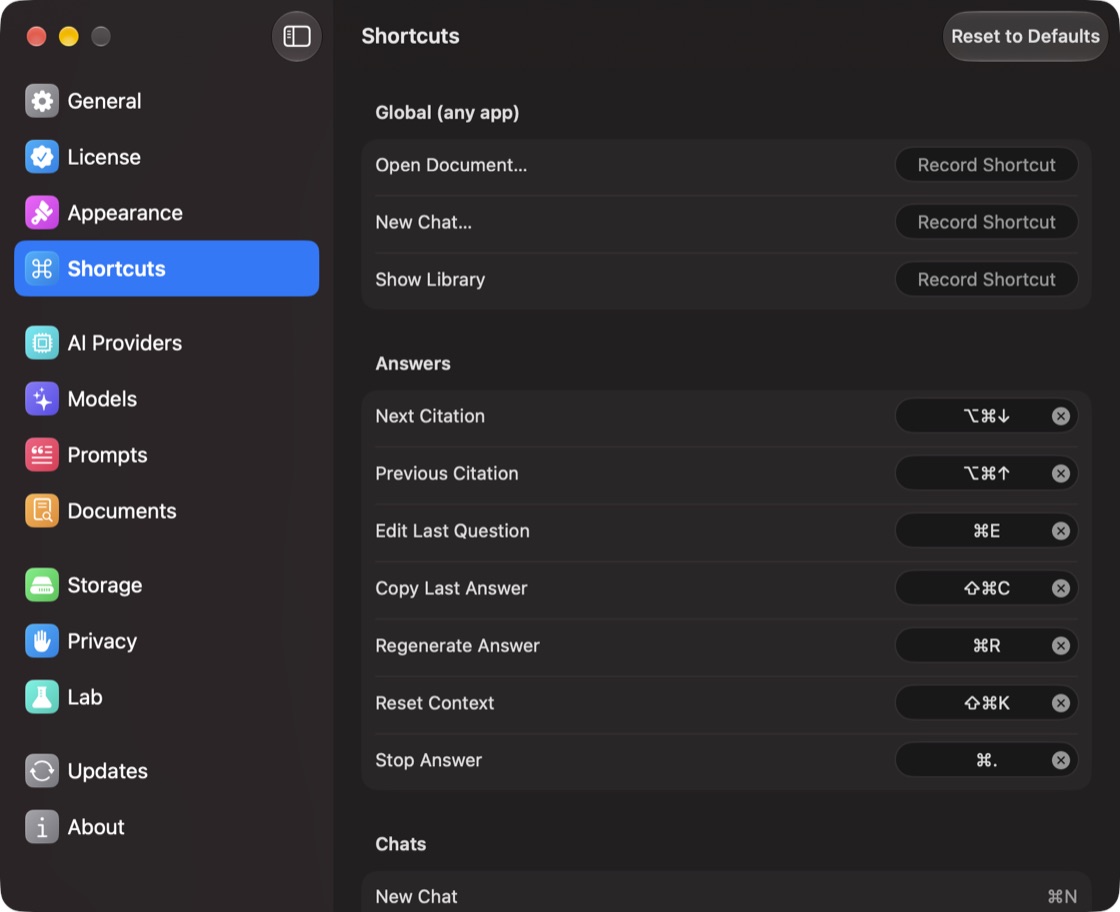
Shortcuts that work in any app
Under Global (any app), click Record Shortcut for Open Document…, New Chat… or Show Library, then press the keys. They work even when PDF Pals isn't in front.
