Local mode and local models
PDF Pals v2 can index and answer with models that run on your Mac, with no API key. You need two:
- A search model (Qwen3 Embedding, about 0.6 GB) indexes your documents.
- An answer model writes the answers.
Download a model
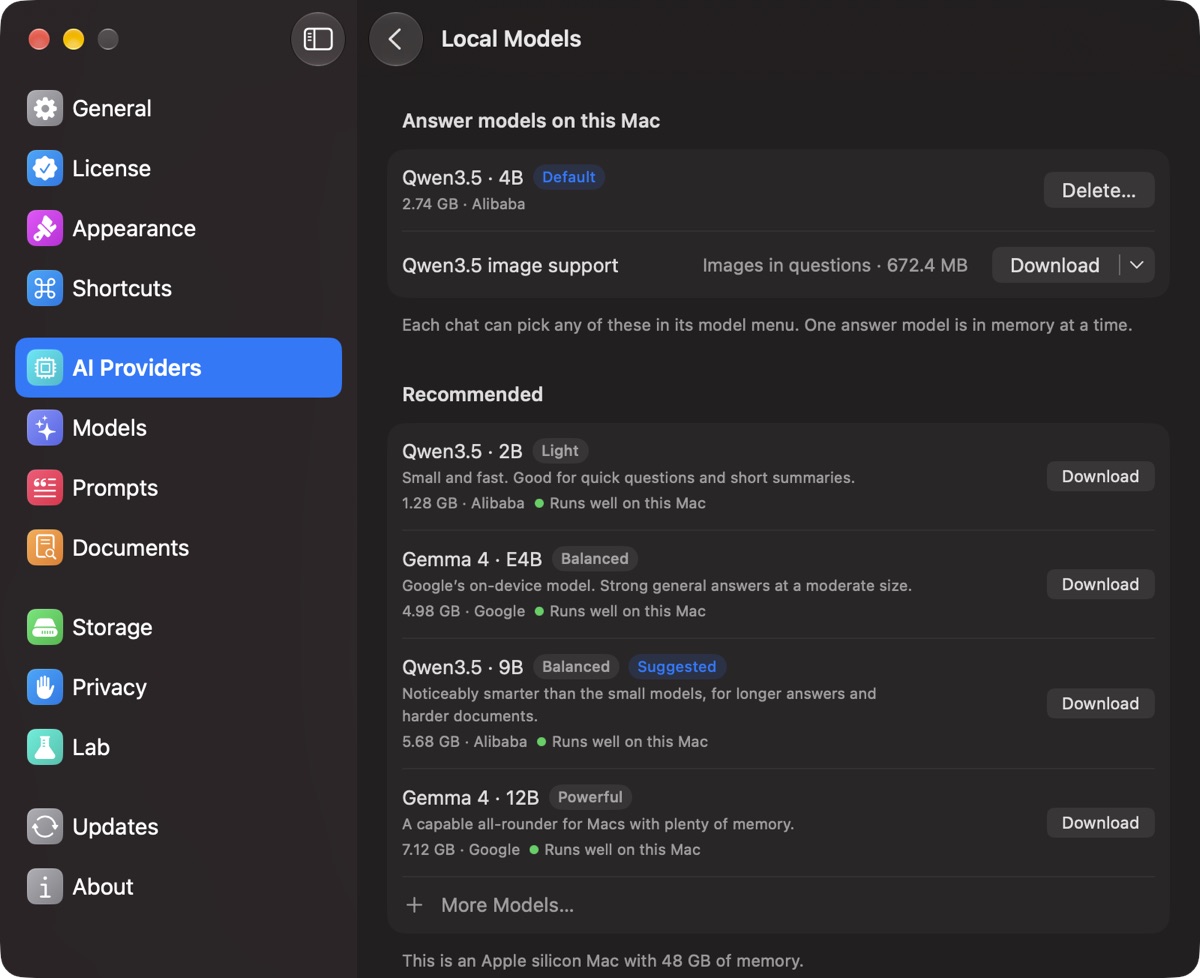
- Open Settings ▸ AI Providers ▸ Local Models.
- Under Recommended, click Download next to an answer model. Under Search and ranking, download the search model if you don't have it.
- When it finishes, it moves to Answer models on this Mac. A stopped download carries on where it stopped.
To remove a model, choose Delete… next to it.
Which answer model to pick
Each model is labelled Runs well on this Mac, Should run on this Mac, May be slow on this Mac or Too large for this Mac. Start with the one marked Suggested.
- Qwen3.5 2B (about 1.3 GB): fast. Suggested with 8 GB of memory.
- Qwen3.5 4B (about 2.7 GB): suggested with 16 GB. To ask about images, also download Qwen3.5 image support (672 MB), which appears under it once it's installed.
- Gemma 4 E4B (about 5 GB)
- Qwen3.5 9B (about 5.7 GB): for harder documents. Suggested with 24 GB or more.
- Gemma 4 12B (about 7.1 GB)
More Models… searches Hugging Face for GGUF models.
Optional: download the ranking model (Qwen3 Reranker) and turn on Rank passages before answering in Settings ▸ Models for better passages, at about 2 seconds per question.
Use a local model
- For every chat: choose it as the Answer model in Settings ▸ Models. To index locally, also choose the local search model as the Embedding model; existing documents keep their index until you re-index them.
- For one chat: pick it with the model button next to the question field.
Local mode
- Open Settings ▸ Models and turn on Local mode.
- PDF Pals lists any model you still need. Click Turn On Local Mode.
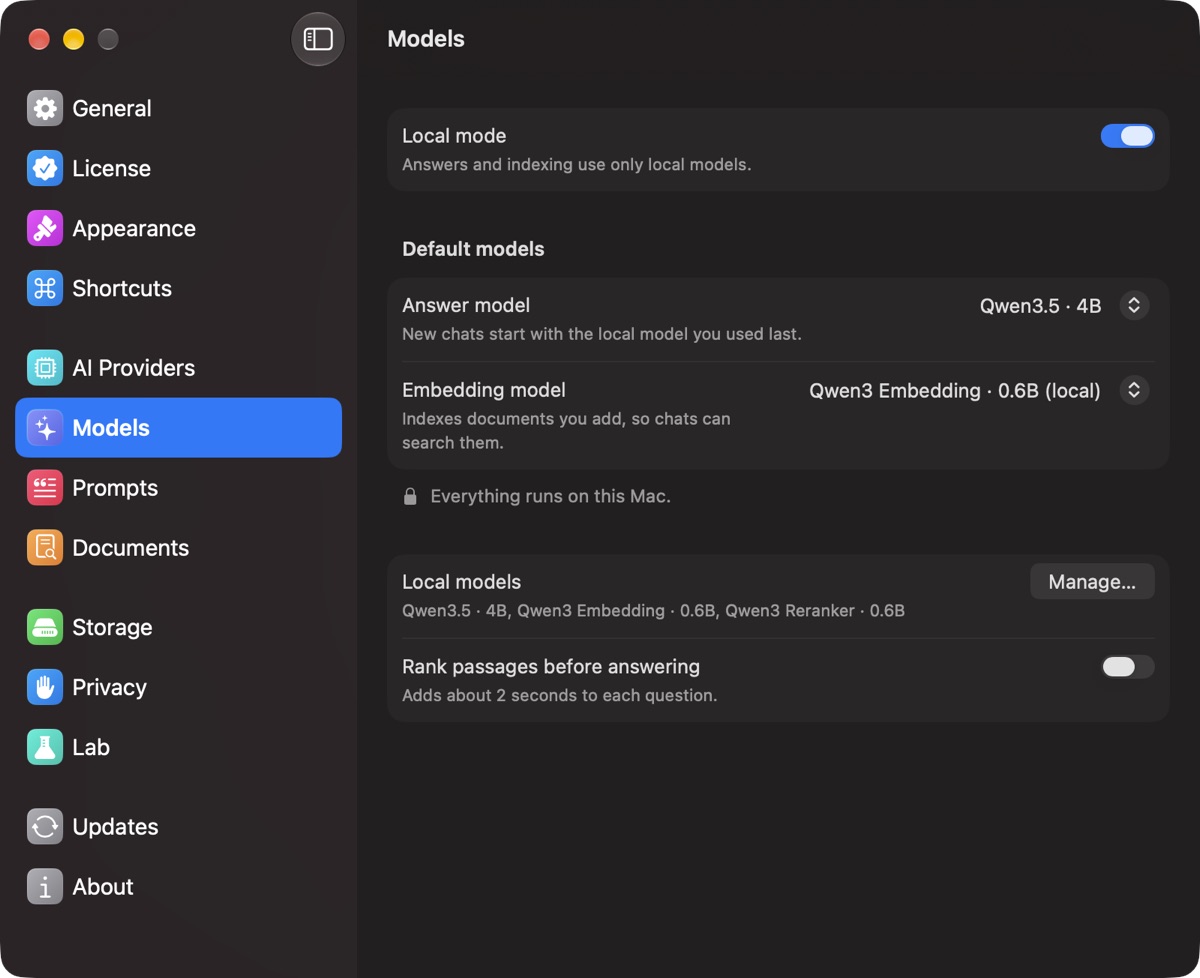
Answers and indexing then use only local models, including Ollama and LM Studio on your Mac (see local servers). A chat that used a cloud model asks you to switch it to a local model or turn Local mode off. Model downloads, update checks and license checks still use the internet.
Intel Macs
Local models work, but without a dedicated GPU an answer can take a few minutes. For faster answers, use a cloud model.
