Send to PDF Pals from any app
Anything you can print, you can send to PDF Pals: Pages, Numbers and Keynote documents, web pages, emails, notes.
Turn it on
Open Settings ▸ Lab and click Add next to "Send to PDF Pals" in the Print dialog.
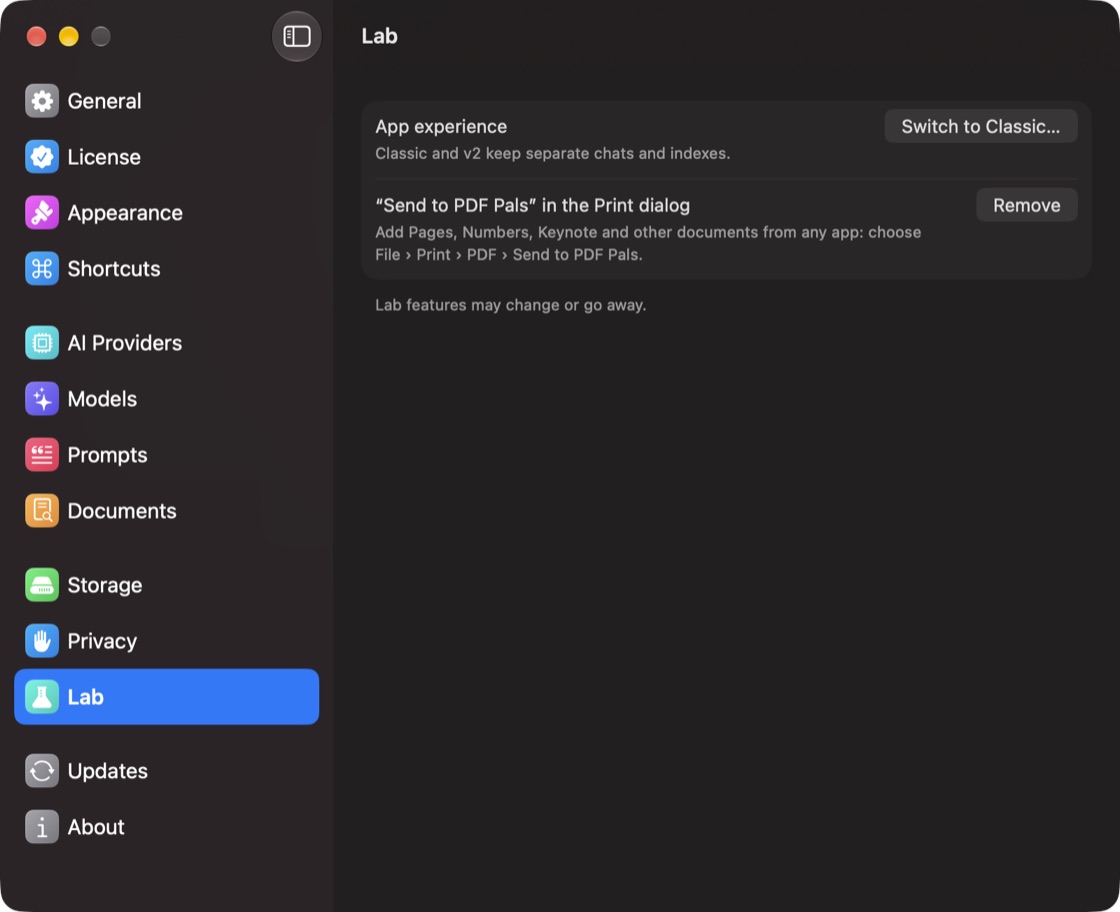
If PDF Pals asks for a folder, choose the one it names (PDF Services, or your Library folder) and click Add.
Send a document
- In any app, choose File ▸ Print (⌘P).
- Click the arrow next to PDF at the bottom of the Print dialog.
- Choose Send to PDF Pals.
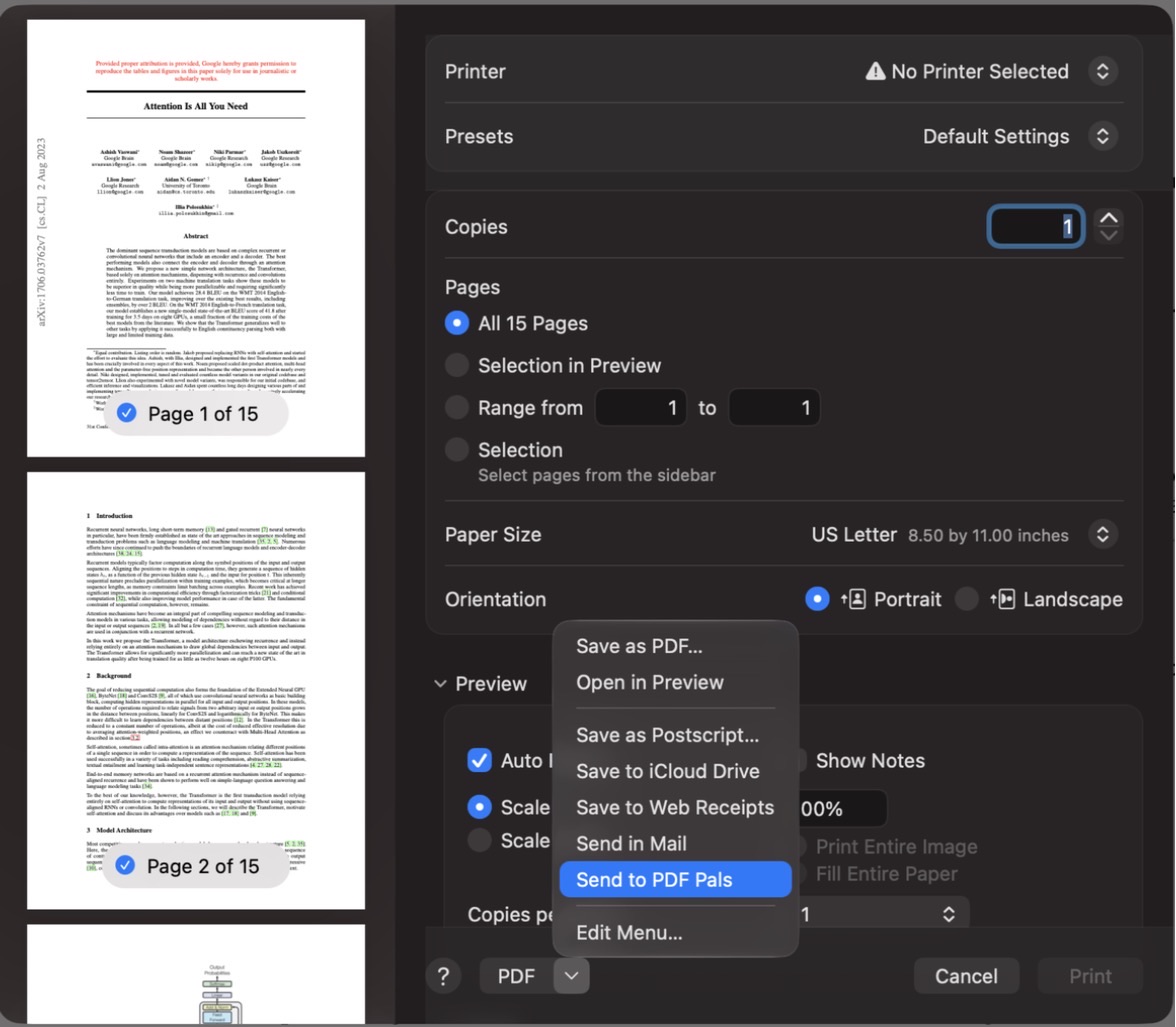
PDF Pals keeps a copy in its library and opens a chat with it.
Turn it off
Open Settings ▸ Lab and click Remove.
